Calculating Time Between Dates
Choose Between dates when you need the distance from one calendar date to another. The main result gives an exact calendar span in years, months, and days. The figures below it show the same interval as total days, full weeks, weekdays, and weekend days.
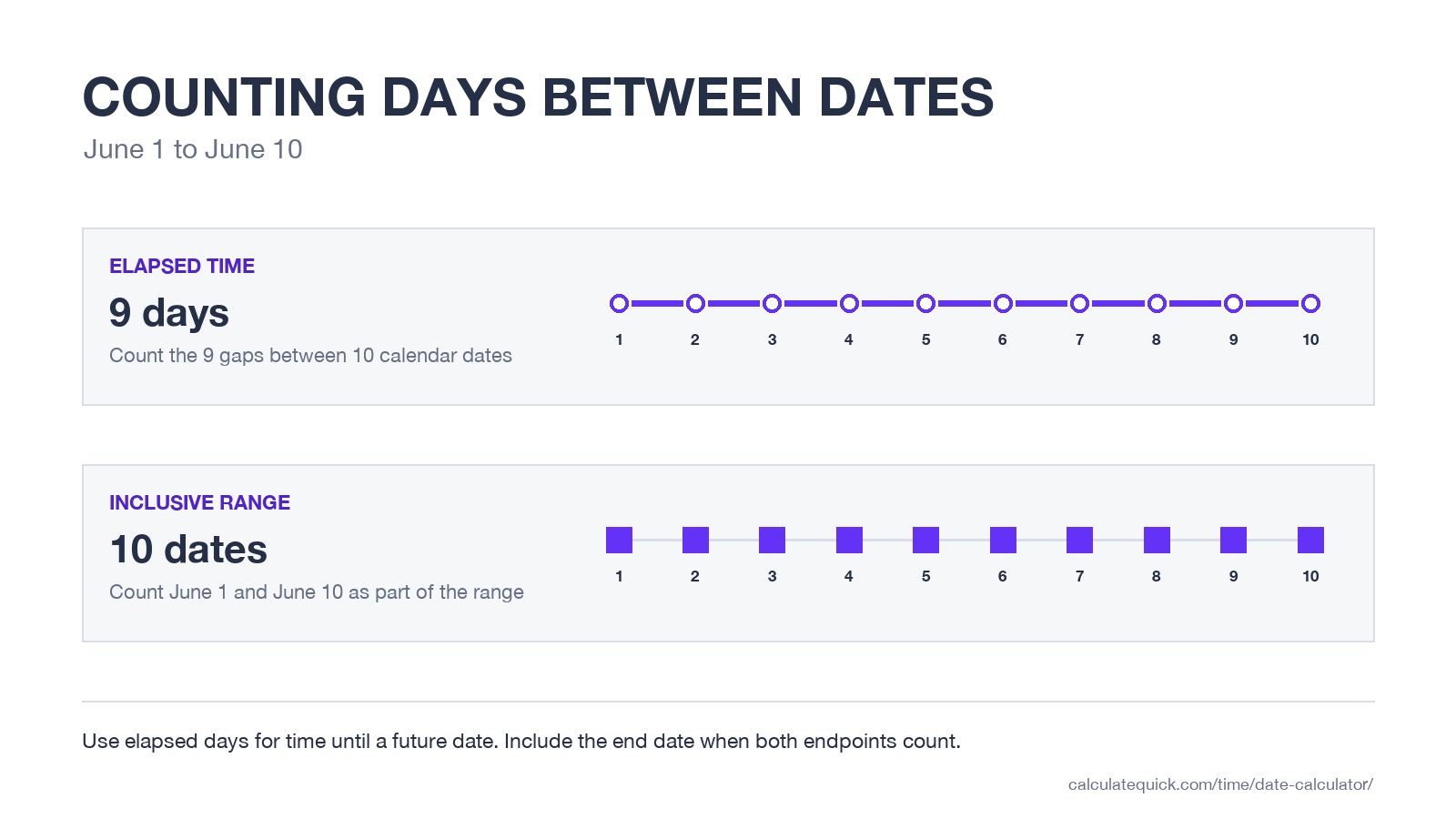
The default result is elapsed time. From June 1 to June 10, nine calendar days have elapsed. Select Include the end date when both June 1 and June 10 belong in the count. This produces ten dates. The choice is important for bookings, attendance windows, notice periods, and any schedule that says a date range is inclusive.
| Date question | Calculator setting | Result to use |
|---|---|---|
| How many days until a future date? | Between dates | Elapsed calendar days |
| How many nights is a stay? | Between dates | Elapsed calendar days |
| How many dates are in a stated range? | Include the end date | Inclusive calendar days |
| What date is 90 days from a starting date? | Add or subtract | Result date |
| What date is 20 working days away? | Working days | Result date under the selected workweek |
The date calculator deliberately treats a day as a calendar date, not as 24 hours on a clock. That keeps the result stable across daylight saving changes. If your question includes hours, minutes, or a specific time of day, use the time calculator for clock-time differences instead.
GTA 6 Countdown to November 19, 2026
Rockstar Games lists Thursday, November 19, 2026 as the Grand Theft Auto VI release date for PlayStation 5 and Xbox Series X|S. The GTA 6 countdown below answers searches such as “how many days until GTA 6” and “time until GTA 6” using the start of that date in your current time zone.
Time until GTA 6
Release date
Counting down to the announced release date.
Target: 12:00 a.m. on November 19 in your time zone. This is the start of the announced calendar date, not a guarantee of a platform’s exact unlock time.
The release date comes from the official Grand Theft Auto VI page. Rockstar has changed the date before, so this counter should be updated if the company publishes another schedule change. To compare November 19 against your own date, enter 2026-11-19 in the calculator above.
Adding Months and Years
The Add or subtract mode applies years first, then months, weeks, and days. Years and months remain calendar units. They are not converted to 365 and 30 days.
When a target month is shorter, the result moves to its final valid date. January 31 plus one month becomes February 28 in a common year or February 29 in a leap year. February 29 plus one year becomes February 28. This constrained rule prevents a month addition from spilling unexpectedly into March.
| Starting date | Change | Result | Reason |
|---|---|---|---|
| January 31, 2026 | Add 1 month | February 28, 2026 | February has no 31st |
| January 31, 2028 | Add 1 month | February 29, 2028 | 2028 is a leap year |
| February 29, 2028 | Add 1 year | February 28, 2029 | 2029 has no February 29 |
A date of birth is a different job from simply adding years. The age calculator’s birth-date breakdown handles completed years, months, and days directly. Clinical due dates also use their own established convention, covered by the pregnancy due date calculator.
Working Days and Excluded Dates
Working-day mode starts with Saturday and Sunday as non-working days. Open Workweek and excluded dates to select a different weekend or add holidays, shutdown dates, and other days that should not count.
There is no built-in national holiday list. Public holidays depend on country, region, employer, and observed-day rules, while one-off closures vary by organization. Entering the dates that apply to your schedule avoids presenting a generic holiday calendar as universally correct.
- Choose Count days to measure working days inside a date range.
- Choose Add or subtract to find a deadline a stated number of working days away.
- Select the weekdays that are normally non-working.
- Add any specific excluded dates. An excluded date that already falls on a weekend is not deducted twice.
Working-day dates do not calculate hours worked or earnings. Use the timesheet calculator for shift hours and breaks, then the wage calculator for pay over those hours.
Date Results That Deserve a Second Check
- Contracts and legal notices may define whether the starting date, final date, weekends, and public holidays count. Follow the wording and applicable rules rather than assuming a general convention.
- Travel nights usually equal the difference between check-in and check-out dates. A June 1 check-in and June 10 check-out normally means nine nights.
- Medical schedules may count the starting date as day one. Check the instructions supplied by the clinician or medicine manufacturer.
- International plans can cross local date boundaries at different times. Use calendar dates for the schedule, then calculate any exact clock-time difference separately.
- Working-day deadlines depend on the correct weekend and closure dates. Review the selected non-working days before relying on the result.
If a result looks one day too high or low, check the Include the end date setting first. That single choice explains most disagreements between two date counts.